
 Share
Share


PineConnector acts as a specialized software bridge designed to link TradingView’s visual charting environment directly with MetaTrader (MT4 and MT5) terminal execution. While TradingView offers exceptional technical analysis capabilities and Pine Script indicator logic, it lacks native execution connectivity to many traditional forex and CFD brokers—a gap that middleware tools like PineConnector fill.
Platforms like AlgoBot integrate seamlessly with bridging solutions like PineConnector to transform technical alerts into real-time broker execution. Understanding how alert syntax is transmitted, validated, and processed by MetaTrader Expert Advisors allows traders to build reliable automated trading workflows without writing complex custom API integrations.
By connecting front-end strategy triggers to back-end execution engines, traders can maintain absolute control over entry rules, stop-loss calculations, and position management. Establishing a structured signal pipeline ensures that technical trade setups are executed instantly, accurately, and without emotional delay.
Key Takeaways
- PineConnector serves as a translation bridge, routing TradingView webhook alerts directly into MetaTrader 4 and 5 terminals.
- Structuring alert syntax correctly is vital, as syntax errors in order parameters can cause MetaTrader Expert Advisors to reject trade execution.
- The middleware removes manual order placement delay, executing trades instantly based on precise technical indicators and strategy conditions.
- Proper configuration requires explicit symbol mapping, risk parameter settings, and lot sizing controls inside the MetaTrader EA settings.
- AlgoBot works in harmony with bridge solutions, providing structured signal generation and automated risk enforcement for seamless terminal routing.
What PineConnector Does
PineConnector is commonly used as a bridge between TradingView alerts and MetaTrader accounts. TradingView identifies or sends the alert, PineConnector receives the instruction, and MetaTrader executes according to the configured message.
By linking front-end charting triggers directly to back-end broker execution, it removes the need to write custom complex bridges or manual code. This setup allows traders to leverage TradingView’s visual strategy builder while retaining MetaTrader’s deep broker liquidity and execution speed.
The bridge operates via webhooks, receiving secure HTTPS POST requests sent from TradingView servers whenever an alert condition fires. The receiving server instantly forwards the command to the PineConnector EA running inside MetaTrader, which executes the corresponding market or pending order on the broker account.
Why Traders Use It
Traders use connector tools because chart signals and broker execution often live in different places. A bridge reduces manual work and can make execution faster and more consistent.
Eliminating manual order entry prevents slippage caused by emotional hesitation or delayed reactions during sudden market moves. It enables a seamless, hands-free transfer from chart analysis to terminal execution across multiple currency pairs.
Furthermore, relying on automated bridging infrastructure enables round-the-clock market monitoring across diverse global sessions. Traders can deploy strategy rules on overnight timeframes with confidence, knowing that valid setups will route to their MetaTrader terminal automatically.
The Basic Workflow
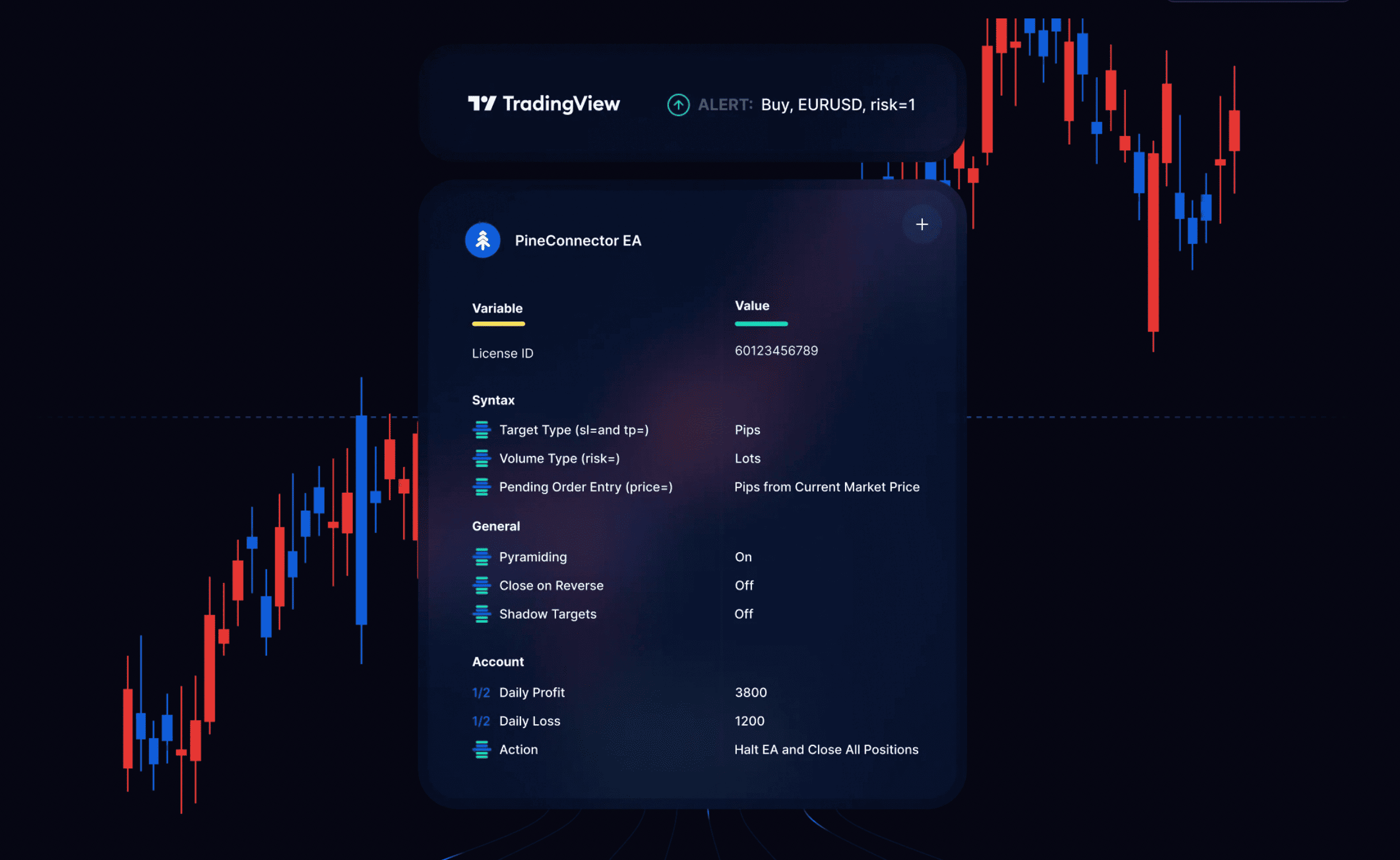
The workflow is usually: create a TradingView alert, format the alert message, send it to PineConnector, and allow the MetaTrader expert advisor to read and execute the command. Each step needs careful testing.
The TradingView alert sends a specifically structured text syntax via webhook, which the MetaTrader EA parses in milliseconds. Ensuring exact syntax formatting in your alert payload is essential to prevent missed orders or incorrect position instructions.
In addition, traders must configure essential licence keys and target account IDs directly within the PineConnector EA inputs. This step ensures that incoming webhook commands are properly authenticated and executed only on authorized MetaTrader instances.
Risk Settings Matter
The connector should never be treated as a risk manager by default. Lot size, stop loss, take profit, symbol mapping, and duplicate controls must all be configured correctly.
While the bridge faithfully passes trade commands, account protection relies on pre-defining conservative position sizing and strict daily loss limits. Relying entirely on automated signals without hard stop-loss safeguards can quickly expose an account to unmanaged drawdown.
Traders can choose whether position sizes are defined inside the TradingView alert payload or calculated dynamically by the MetaTrader EA based on account balance percentage. Setting maximum risk parameters directly within the terminal provides an added safety net against incorrect signal inputs.
Common Setup Problems
Common issues include wrong symbol names, missing suffixes, unsupported order types, incorrect lot sizing, and alerts firing more than once. A demo account test helps identify these problems before real money is used.
For example, a broker using EURUSD.ecn will reject a signal sent simply as EURUSD unless symbol mapping is explicitly mapped in the EA settings. Running extensive tests in a demo environment ensures that all execution parameters, slippage limits, and order types function as intended.
Another frequent error involves setting TradingView alerts to trigger “Every Time Price Changes,” which leads to multiple duplicate orders firing within a single candlestick. Setting alerts to fire “Once Per Bar Close” ensures clean, disciplined execution aligned with strategy rules.
How It Relates to AlgoBot
AlgoBot’s wider automation concept is similar: reduce friction between analysis and execution. For traders using TradingView and MetaTrader, tools like PineConnector can be part of the route from signal to trade.
Whether using direct connectors or integrated signal frameworks, the primary goal remains building a disciplined pipeline where risk parameters are strictly enforced. Combining robust alerting logic with clean execution bridges provides the structure needed for consistent, long-term market participation.
AlgoBot enhances this ecosystem by delivering high-probability signal algorithms and automated risk management protocols that map directly to PineConnector syntax. This creates a complete end-to-end strategy pipeline from indicator signal to broker order.
Practical Example
Imagine a trader monitoring Gold (XAU/USD) for a breakout on TradingView while working during normal business hours. The trader sets up a Pine Script alert designed to trigger when price breaks above a major 4-hour resistance level with expanding volume.
The TradingView alert is formatted with a specific PineConnector text string containing the licence key, symbol (“XAUUSD”), action (“BUY”), volume risk (1%), stop loss (200 pips), and take profit (400 pips). The alert is routed instantly via HTTPS webhook to the target server.
Upon receiving the POST request, the MetaTrader PineConnector EA validates the message, translates the pip parameters according to the broker’s specific Gold contract specifications, and opens the buy order instantly. The entire cycle executes in fractions of a second, securing entry without manual intervention.
Common Mistakes Beginners Make
- Forgetting to include the unique PineConnector licence key in the TradingView alert message payload, causing order authentication failures.
- Neglecting broker-specific instrument suffixes (e.g., EURUSD.pro), resulting in symbol mismatch errors inside the MetaTrader EA.
- Failing to enable “DLL Imports” and “Allow Automated Trading” in the MetaTrader terminal options prior to running the bridge EA.
- Configuring alert parameters with absolute price levels instead of pip offsets on floating-spread instruments, leading to misplaced stops.
- Deploying live webhook bridges on local home computers without a reliable Virtual Private Server (VPS) to guard against internet outages.
How AlgoBot Can Fit Into the Workflow
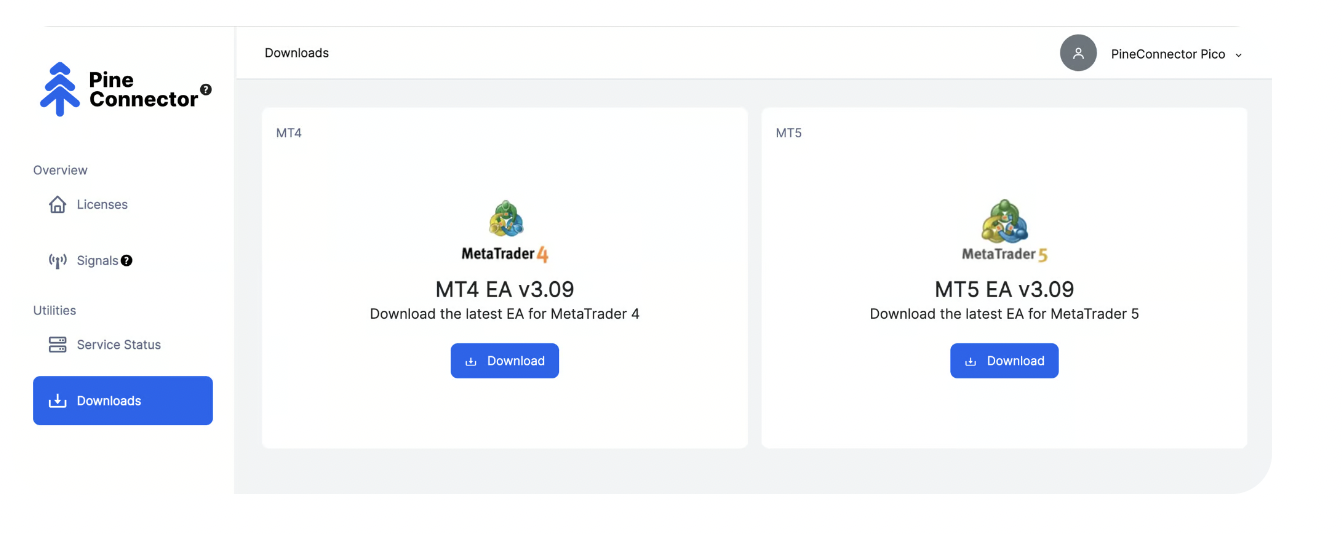
AlgoBot complements PineConnector by providing pre-structured, high-accuracy trading signals and advanced risk modules optimized for automated bridge transmission. Instead of writing custom Pine Script code, traders can utilize AlgoBot’s built-in signal engines to generate reliable webhook alerts ready for MetaTrader routing.
By leveraging AlgoBot’s dynamic parameter formatting, users can seamlessly transmit detailed trade commands—including trailing stop instructions, partial take-profits, and fixed percentage risk controls—directly into the PineConnector ecosystem.
This integration simplifies the entire automated workflow: AlgoBot provides the market intelligence and signal validation, TradingView handles the alert triggering, PineConnector manages the payload transport, and MetaTrader executes the order cleanly across your preferred broker.
Final Thoughts
What Is PineConnector and How Does It Work? is ultimately about structure. Traders do not need more random opinions; they need clear rules, consistent execution, and risk limits that protect them during bad conditions. Automation can help with that, especially when it is paired with education and realistic expectations.
For users comparing trading tools, the strongest platform is usually the one that makes disciplined behaviour easier: clear signals, sensible risk controls, transparent setup steps, and the ability to pause or adjust when conditions change. That is the standard beginners should use when evaluating AlgoBot or any other automated trading solution.
FAQs
Is PineConnector a trading strategy?
No. It is a connector. The strategy or signal logic must come from TradingView, a bot, or the trader.
Can PineConnector remove risk?
No. It can automate execution, but it cannot make a poor strategy safe.
Should I use demo mode first?
Yes. Demo testing is essential before live automation.
Educational content only. Trading involves risk, and past or historical performance does not guarantee future results.