
 Share
Share


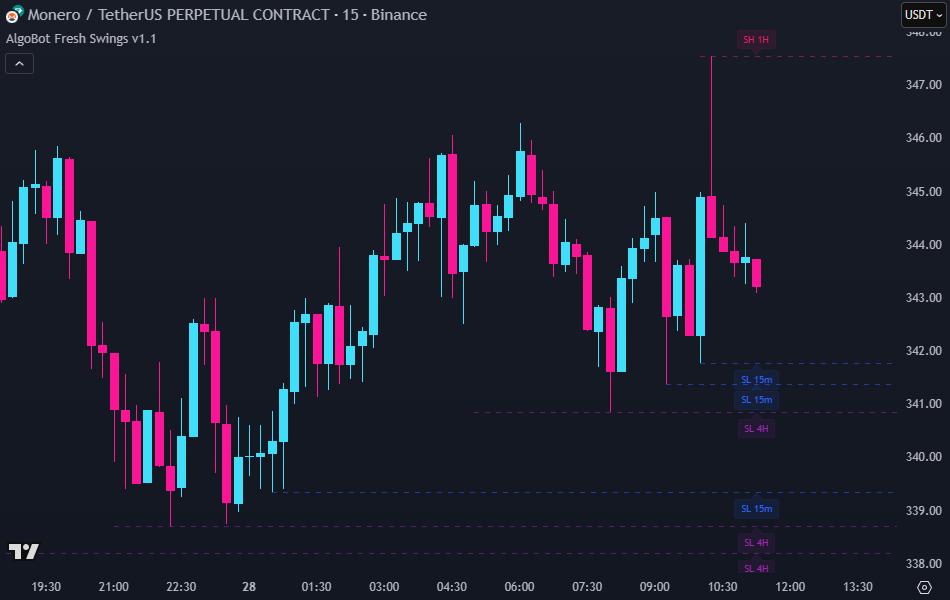
AlgoBot Fresh Swings (MTF) is a multi-timeframe swing level mapper designed for traders who work with liquidity, structure, and mitigation concepts. The indicator automatically detects recent swing highs and lows across up to four selectable timeframes, then plots those levels directly on the chart as clean horizontal lines. It can merge overlapping levels from different timeframes, track whether a level has been touched (mitigated), visually gray out consumed levels, and optionally fire alerts when price interacts with them. This creates a real-time map of actionable structure without manual drawing.
Key Features
Multi-Timeframe Swing Mapping
Track fresh swing highs (potential resistance/liquidity) and swing lows (potential support/liquidity) from up to four independent timeframes. Each timeframe has its own toggle, color set, style, and alert control. You can, for example, view 5m, 15m, 1h, and 4h levels simultaneously on a scalping chart.

Automatic Lower-Timeframe Filtering
The indicator automatically hides levels originating from timeframes lower than the current chart timeframe. This ensures that only relevant structural information is displayed, maintaining a clean and meaningful multi-timeframe view.
Per-Timeframe Styling and Capacity Control
For every timeframe block (TF1–TF4), you can define line color for highs and lows, line style (solid / dashed / dotted), transparency, and width. You can also cap how many recent lines are allowed to stay on chart per type, preventing excessive clutter when many swings print.

Mitigation and Cleanup Behavior
When price “mitigates” a level (touches a swing high or swing low), you decide what happens next:
- Remove on touch – delete the level instantly
- Keep until bar close – fade it to gray on touch and clear it after the candle closes
- Keep until EOD – fade it to gray and keep it visible until the session/day ends
This makes it easy to distinguish untouched liquidity from already-respected or already-traded levels.

Alert Triggers per Timeframe
Each timeframe can trigger an alert when one of its swing levels is mitigated. Alerts include the timeframe the level originated from and whether it was a swing high or a swing low. This helps monitor critical levels — for example, taking a 1h swing high while watching a 1m chart, or setting an alert and returning only when price is in an important zone.

Level Merging Across Timeframes
Nearby swing levels from different timeframes can be automatically merged to avoid stacking multiple nearly identical lines. You control:
- Whether merging is enabled
- How close two levels must be (tolerance in ticks)
- Which level “wins” in a conflict (prefer higher timeframe, prefer lower timeframe, or prefer the newest level)
This keeps the chart readable and emphasizes the most relevant price levels.

Smart Labeling
Optional labels can be displayed next to each line. Labels include the level type (SH for swing high, SL for swing low) and the source timeframe (for example, SH 15m). You can offset the labels vertically, choose the label size, and even append the exact price. Mitigated levels are automatically dimmed and shifted forward in time so you can still see what was recently traded through.

Session-Aware Cleanup
For levels set to “Keep until EOD,” mitigated lines and labels are automatically cleared at the start of a new session/day. This prevents outdated liquidity references from lingering into the next session.

How to Use
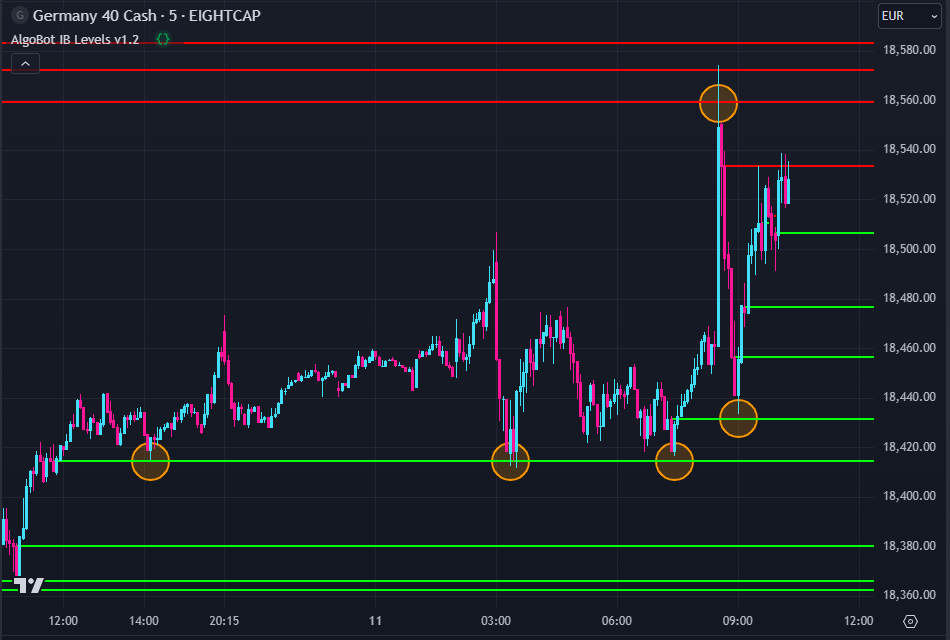
AlgoBot Fresh Swings (MTF) creates a live liquidity and structure map so you don’t have to redraw levels by hand. Fresh swing highs often behave like liquidity pools or short-term resistance, and fresh swing lows often behave like liquidity pools or short-term support. Untouched levels can act as magnets or reaction zones; mitigated (tapped) levels become less relevant and can either be grayed out or cleared, depending on your chosen cleanup mode.
Basic trading idea:
- For longs: wait for price to tap (mitigate) a fresh swing low from your chosen timeframe, then look for confirmation that the level is holding (no clean break below). That mitigated level can act as a logical risk reference.
- For shorts: wait for price to tap a fresh swing high from your chosen timeframe, then look for rejection or absorption. That mitigated high can act as a logical invalidation point.
Example workflow:
- Enable the timeframes you care about (for example TF1 = 5m, TF2 = 15m, TF3 = 1h, TF4 = 4h).
- On your active chart (say 5m), watch which higher-timeframe levels are currently closest to price.
- When price interacts with one of those levels:
- Note if it’s a swing high or swing low (liquidity grab above highs vs liquidity sweep below lows).
- Check if the level got marked “mitigated” (grayed or cleared) or if it’s still fresh.
- See if an alert fired — that tells you which timeframe produced the level, without you needing to zoom out.
- Use that information to frame bias and risk. For instance, if a clean 1h swing high was just taken while you’re on a 1m/5m chart, you may anticipate short-term weakness or a local retrace. If a 4h swing low is still untouched just below price, that may be a downside liquidity target.
This process scales to scalpers (only use low TFs), swing traders (only high TFs), or hybrid traders (use all TFs and rely on merging + capacity limits to declutter).
AlgoBot Fresh Swings (MTF) Key Features Summary
- Detects and plots fresh swing highs/lows from up to four user-defined timeframes
- Draws each swing as a horizontal line with per-timeframe styling
- Automatically hides levels from lower timeframes than the active chart
- Limits how many recent swing lines remain visible per timeframe
- Tracks mitigation and can remove, gray out, or keep levels until end of day
- Sends optional alerts when swing levels are mitigated
- Merges nearby levels across timeframes with customizable priority rules
- Adds informative labels showing timeframe and swing type, with optional price display
- Automatically cleans up mitigated “end of day” levels at the next session start